
Carbridge ios 18 Current Compatibility and the Best Functional Substitute
CarBridge is not working on iOS 18, and there is currently no working software update or workaround for this version.
CarBridge iOS 18 is not working. But still you have many alternatives. If you recently updated your iPhone, you may have found your favorite CarPlay tweak has stopped functioning, a common frustration for users bridging apps like YouTube and Netflix to their car display. Some sites claim to offer a carbridge ios 18 download, but these are unverified and do not match official compatibility data. This article covers the confirmed carbridge ios 18 compatibility status, why it broke, and the best alternatives available today.
The Best Software Alternative for iOS 18: WheelPal
The Best Hardware Alternative: CarPlay AI Boxes
Does CarBridge Work on iOS 18?
The short answer is no. CarBridge is not compatible with iOS 18. Official records indicate that the confirmed supported range for CarBridge ends at iOS 16.7.7. Since the modification necessitates a jailbroken state to operate, its use depends on whether jailbreak software has been released for a particular iOS build.
Currently, there is no public jailbreak for iOS 17, iOS 18, or the upcoming iOS 26. Any site claiming to offer a carbridge without jailbreak ios 18 solution for the original CarBridge tweak should be approached with extreme caution, as official internal sources label such no-jailbreak claims as scams.
Below is the verified compatibility status for leading CarPlay integration tools based on official documentation:
| App / Platform | iOS Support | Jailbreak | Notes |
|---|---|---|---|
| CarBridge | iOS 13.0 to 16.7.7 | Required | Official support ends at iOS 16.7.7 |
| WheelPal Store | iOS 9 to iOS 26 | Not Required | Confirmed compatible with iOS 18 |
| CarTube | iOS 8 to iOS 15.7.7 | Not Required | Wide range supported |
| CarMovie | iOS 14 to iOS 17 | TrollStore | No jailbreak, uses TrollStore |
| CarPlay Cast | iOS 14 Only | Required | Explicitly limited to iOS 14 |
For users looking for a broader overview of firmware support, you can view the CarBridge iOS Compatibility Hub.
Why CarBridge Stopped Working on iOS 18
The primary reason for carbridge not working ios 18 is the security architecture of the iOS platform itself. CarBridge is a tweak, meaning it modifies the internal behavior of the CarPlay system to allow unauthorized apps to appear on the screen. To do this, it needs deep system access that is only possible through a jailbreak.
Starting with iOS 17 and continuing into iOS 18, Apple introduced security changes that closed the specific jailbreak loopholes CarBridge relied upon. This is not a bug in the CarBridge code but a platform level limitation. Without a new jailbreak discovery for iOS 18, the software remains stuck on older firmware versions. To understand more about the technical requirements of these tweaks, you can read more about CarBridge without jailbreak.
The Best Software Alternative for iOS 18: WheelPal
For users who have already updated to iOS 18 and need a solution immediately, the WheelPal app management platform is the primary recommended software alternative. Unlike CarBridge, WheelPal does not require a jailbreak and is confirmed to support a wide range of firmware from iOS 9 through iOS 26, making it fully compatible with the current carbridge ios 18 landscape.
Why WheelPal is the Top Choice
WheelPal functions as a comprehensive app store and installer guide. It provides notifications regarding jailbreak availability and walks users through the process of adding various apps to CarPlay using a profile installation method. WheelPal serves as a reliable management platform for users on iOS 18, allowing them to install and organize CarPlay compatible tools without needing a full system jailbreak.
How to Set Up the WheelPal Platform on iOS 18 (No Jailbreak)
The setup process for the WheelPal installer is designed for non technical users and does not void your Apple warranty. Based on current walkthrough data, the configuration is as follows:
- Visit the official WheelPal portal to download the application profile.
- Follow the on screen instructions to trust the profile in your iPhone settings.
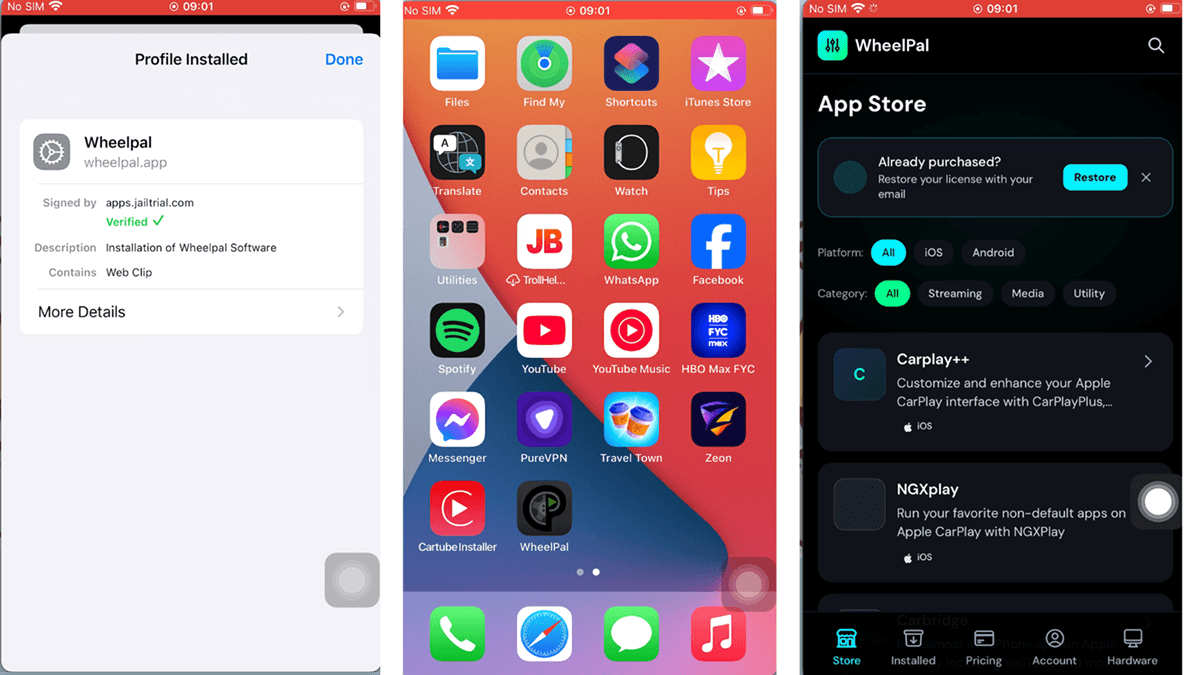
- Once the installer is ready, open the WheelPal store to select the apps you wish to bridge to CarPlay.
For a more detailed walkthrough, please see our full install guide. You can Get WheelPal to start the process today.
The Best Hardware Alternative: CarPlay AI Boxes
If you prefer a hardware based solution that bypasses iOS software restrictions entirely, a CarPlay AI Box is the secondary recommendation for carbridge ios 18 users. These devices plug into your car's factory USB port and run an independent Android system on your dashboard. Because they operate independently, they are not limited by your iPhone's iOS version.
Important Note: To use these boxes, your vehicle must have factory wired CarPlay (OEM) and a touchscreen. The minimum hardware requirement is an iPhone 6 or a newer model that runs iOS 10 or a later version. Standard boxes do not work with BMW vehicles, which require specialized models like the Ottocast AI i3.
You can compare all 7 AI boxes in our full guide, but here are the top choices for iOS 18 users based on verified hardware specifications:
CarbridgeX: Best for Upgrading Users
The CarbridgeX is the primary choice for long time CarBridge users transitioning to hardware.
- Operating System: Android 13.
- Hardware Specs: Features a 4 core processor with 2GB RAM and options for 16GB or 32GB storage.
- Key Features: It comes pre loaded with popular apps such as YouTube, Netflix, Disney+, and TikTok.
- Compatibility: Works with 98% of wired CarPlay cars but excludes BMW and Tesla.
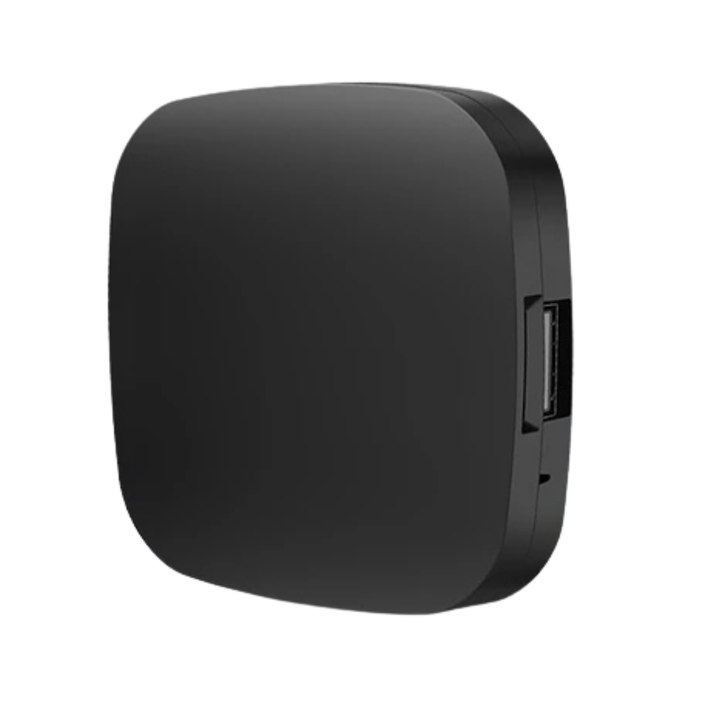
Wireless CarPlay adapter. No cables, no hassle.
CarBridge X
Convert your wired CarPlay to wireless instantly. And add any app to apple carplay.
- Rich In-Car Entertainment System
- Fast and Smooth Performance
- Works with iPhone 6 and above (iOS 10.0+).
Carlinkit AI Box Plus: Best Value Streaming
The Carlinkit AI Box Plus provides a high performance, tablet like experience directly on your car's display.
- Operating System: Android 13.
- Hardware Specs: Powered by an 8 core CPU with 4GB RAM and 64GB storage.
- Key Features: Includes a built in 4G SIM card slot for independent internet access and integrated GPS.
- Benefit: Provides a stable connection for streaming video without needing to jailbreak your phone.

Wireless CarPlay adapter. No cables, no hassle.
Carlinkit AI Box Plus
Carlinkit AI box plus is one of the best CarPlay and Android Auto AI box in the CarPlay/Android Auto world.
- Works with iOS 13 and above
- Auto-reconnects on every drive
- Wireless CarPlay and wireless Android Auto
Ottocast P3: Best Performance
The Ottocast P3 is engineered for tech enthusiasts who require maximum speed and storage for demanding applications.
- Operating System: Android 12.
- Hardware Specs: Utilizes a high performance chip with 8GB RAM and 128GB ROM.
- Key Features: Features a mini HDMI output for external screens and a flexible split screen mode for simultaneous app use.
- Navigation: Includes a built in GPS tracking system (Glonass) to track roads and conditions accurately.
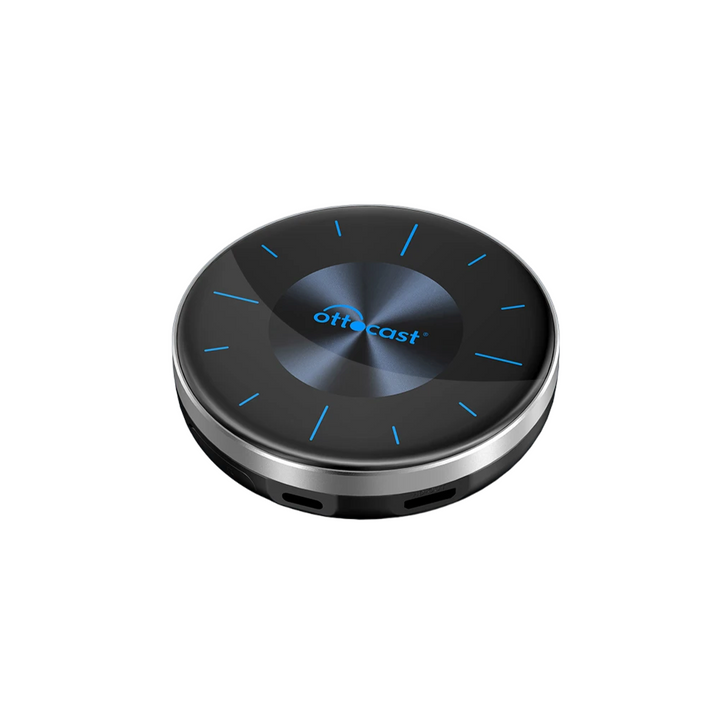
Wireless CarPlay adapter. No cables, no hassle.
Ottocast P3
Ottocast P3 CarPlay AI box is one of the best CarPlay adapters in the CarPlay/Android Auto market.
- iOS version iOS 10 to iOS 18.5 newest versions and all the subversions,
- Nano SIM card port
- GPS tracking – built in Glonass tracking system
Known Bugs and Common Issues
Users attempting to use CarBridge or various alternatives may encounter several issues:
- App Crashes: Often caused by installing an incorrect version of a software tweak or failing to restart the system after installation.
- Apps Not Appearing: If a bridged app does not show up on your car display, you must navigate to the CarPlay Settings on your iPhone and ensure permissions are enabled.
- DRM Restrictions: Official CarBridge documentation notes it is designed for DRM free videos. If you attempt to watch Netflix and see a black screen with audio, it is a restriction that the original CarBridge software cannot bypass. This is a common limitation for traditional software modifications
In summary, carbridge ios 18 support does not currently exist, and there is no confirmed software workaround for the genuine CarBridge tweak on this firmware. However, you do not have to wait for a jailbreak to enjoy your favorite apps in your car. The WheelPal app store provides a reliable, no jailbreak software path for iOS 18 users, while a CarPlay AI Box offers a high performance hardware solution that is immune to future iOS updates.
AutoPal LLC keeps this page updated as new iOS versions and jailbreak tools ship, ensuring you always have the most accurate information.
- Get WheelPal to start your software installation.
- Browse CarPlay AI Boxes to find the perfect hardware for your vehicle.
Frequently asked questions
Everything you need to know about WheelPal and CarBridge.
No, CarBridge does not work on iOS 18. The current version of CarBridge only supports up to iOS 16.7.7. Because there is no public jailbreak available for iOS 18, the software cannot access the system files necessary to bridge apps to the CarPlay interface.
Yes, CarBridge officially requires a jailbroken device to function on all supported iOS versions. While some third party sites claim to offer no jailbreak versions, these are generally considered scams. Alternatives like the WheelPal store are recommended for non jailbroken devices.
The best software alternative is the WheelPal app management platform, which supports iOS 18 and does not require a jailbreak. It uses a profile installation method to help users add compatible apps to CarPlay. For a high performance hardware solution, the CarbridgeX AI Box is a top recommendation.
Yes, CarPlay AI boxes are fully compatible with iOS 18. These devices operate independently of the iPhone's software version, supporting any iPhone 6 and up provided it is running at least iOS 10. They are a permanent solution to iOS version limits.
A wireless adapter simply converts your existing wired CarPlay to a wireless connection without adding new apps. In contrast, an AI Box runs an independent Android system, adding video streaming, games, and built in GPS to your dashboard without needing to unlock your iPhone's software.
Yes, WheelPal is a safe app store alternative that does not require a jailbreak. It uses standard iOS profile installation methods and does not modify the root system of your device. This means it does not void your Apple warranty and can be easily removed.